Easy Ways to Make Your Website Look Professional

Make your website more professional with these tips.

Make your website more professional with these tips.

As a self-published author, you already have a to-do list that is a mile long. Having a professional web presence is definitely at the top of the list, but since time is short here are some quick tips that make you look like a pro without taking up precious writing time.

Get Your Own Domain Name

You’ve probably heard this before, but having your own domain name conveys your seriousness about about your craft, your books, and your image. This is increasingly important as Amazon is flooded with sub-par self-published books. You can bet authors who don’t care about quality are going to throw up free blogs via blogger, if at all. Having your own domain is both easy and cheap in addition to giving readers a place to find out about you and your books on the web. It has the added benefit of great Search Engine Optimization and gives you complete control over your content.

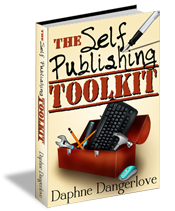
If you don’t already have your own domain and hosting, HostGator offers cost effective hosting that is easy to manage. Plus you can use the code SELFPUBLISH to knock 25% off of your order. Complete instructions for setting up your website (even if you are non-technical to the extreme) are in the The Self Publishing Toolkit.

Clean Up Your Site

A simple website looks professional. Ditch anything that blinks or shifts. These types of widgets and gadgets distract readers’ attention from your site and make it appear unprofessional.

  • Toss any ads that are for books other than your own.
  • Use your author name in your header instead of a cutesy title.
  • Use a light background with dark text for easy reading.
  • Review your sidebar content and make sure that everything is relevant to your site.

Use Professional, Royalty Free Images in your Posts

There are lots of places on the internet you can get royalty free professional images. Some are free (like those at Dreamstime free) and some cost money (my favorite place to go is Dreamstime). But whichever direction you go in, make sure you choose clear, relevant graphics. Name your images with your post name and make sure they are royalty free. Nabbing an image from another site can get you in a lot of hot water with the original creator. So make sure you know the terms of use before your post it on your site.

Give Your Navigation a Check Up

Make sure your navigation is clear and easy to follow. It should be located across the top of your site, either under or over the header or in the right sidebar. All author sites should have the following pages:

  • Contact
  • About Me
  • Books
  • Blog
Make sure any images of your books link directly to a buy link on Amazon, B&N or any other site you have your book for sale. You should also have a mailing list sign up form available for readers to subscribe to for future updates. Don’t put up pages that say ‘coming soon’ or are just dead ends.

There you have it. Four easy things you can do today that will improve your website visitors’ experience. Contact me if you’d like me to do a personal review of your site. (No cost, no strings attached.)


 

Setting the Mood: Writing Music

Music inspires your writing!When it comes to Self Publishing, the more books you have, the more money you make so productivity and concentration are a top priority. Music, whether it’s your favorite movie soundtrack or white noise, helps to get you into the zone, improve your focus and achieve your goals. Here are three of my favorite free online sources for mood setting music:

RainyMood

RainyMood gives you a non-stop sound track of rain that is so realistic, it will have you checking the windows to see how wet it is outside. You’ll love using RainyMood when proof-reading or editing. I’ve discovered it sets the perfect atmosphere to keep me focused for long stretches of time. In fact, I’m listening to it as I write this post.

Pandora

No matter what kind of music you are in the mood for, Pandora’s got it. You can set up stations for each of your books to make slipping into your writer mode that much easier. If you’ve never used Pandora, give it a go. Pandora learns what you like (and what you don’t) and will suggest new artists based on your preferences. I have found so much inspiration on Pandora, both for life and writing, that I can’t recommend it highly enough. Pandora is free, but ad supported. It’s $36/year to get rid of the ads.

simplynoise

Want the world to go away for a while? Writing in a busy cafe or coffee shop? Simplynoise gets the job done . You can live stream white, pink or brown noise for free. They also have a free downloadable 60 minute Thunderstorm track as well as a donate and download option for an Ocean Waves track and white, pink or brown noise. These would be perfect for timing your writing sessions.

Do you have a favorite site that you’d like to share? Let me know and I’ll add it to the list.


Getting Twitter Followers

Get More Twitter FollowersAre you getting the most out of your Twitter experience? Followers are key to getting the word out about you and your books. When I first started tweeting, I thought that the followers would come to me. I am sure you can guess how well that worked out! I was amazed to discover that finding followers was easy, once I went looking for them.

Follow Readers

Twitter can be a valuable marketing tool-but only if you have people who are seeing what you have to offer. As I mentioned above, follow other people first, don’t wait for them to find you! You have to go out and find your audience and Twitter offers you a super easy way to do that. Do you write paranormal romance? Use the #paranormal hashtag to find Twitter users to follow. No matter what your genre, there are hashtags for it, so spend a few minutes and find your audience. (Keep a list of those hashtags as well so you can use them in future tweets.) You can combine hashtags to narrow your search.

Make sure you seek out readers, not other authors. Following authors is great, but they aren’t your target audience. So focus on finding readers first, then once you’ve built up your follower base, work on connecting with other authors in your genre.

Fill Out Your Profile

A lot of authors waste the space in their Twitter profile, filling it out with information that is irrelevant to their books. Don’t make this mistake! When you follow someone (and they have notifications turned on), they get an email announcing the fact and Twitter includes your profile information. Make sure you’ve listed the books that you’ve written, their genre and where to find them. Include a link to your website as well so potential followers can check you out.

Make Following You Easy

Stay away from validation services like True Twit. True Twit claims to keep spammers from following you, but what they are really doing is keeping legitimate people from following you. Do you care if a spammer is following you? You don’t see their tweets and they can’t direct message you unless you follow them back. So don’t annoy your potential followers (and readers!) by making them fill out a CAPTCHA to follow you. Twitter makes communication fun and easy, so don’t complicate it unnecessarily.

Get HootSuite

I’ve said this many times before, mostly because I am so impressed with how easy HootSuite makes Twitter. You can use it for free, so there is no reason not to get an account. HootSuite lets you see all of your Tweets, your Direct Messages, Mentions and any other searches you want to add. (Keep track of your genre hashtags and participate in Twitter chats.) You’ll spend less time managing your Twitter experience and more time writing, which is what this is all about! HootSuite will also manage your Facebook profile as well as any other social media sites you are on.

Twitter is all about connecting with people who have similar interests and sharing information. It’s not about direct sales, so don’t think that you can Tweet a constant stream of ‘buy my books’ to your new followers. Focus on sharing content and driving potential readers to your website to pique their interest further.

Do you have a tip for getting more followers? Add it to the comments and thanks for sharing!

Follow me: The Self Publishing Toolkit

Buy The Self Publishing Toolkit on Amazon.

Twitter Made Easy

Twitter Made EasyYesterday there was a bit of discussion in the Writer’s Cafe (on KindleBoards) about using Twitter for KDP Select Promos, as well as its general use, so I thought I would write up a quick post on how to use Twitter effectively.

Get HootSuite

I’m not kidding, go download it right now. HootSuite will make sense of Twitter for you and it’s free so there is no reason not to use it. After you have it all set up, take a minute to look around. In addition to your Home Feed, you’ll get columns for Mentions and Direct Messages which makes it super easy to respond to any one who has tweeted to you or about you. If you click Add Stream just above Home Feed, you can add searches. I like to keep an eye on my genre related hashtags, so I can see what people are talking about.

HootSuite allows you to import up to five Social Media account for free. It is so much easier to keep track of everything if it is all in once place. If you have more than five accounts (or want access to analytics and extra fuctions), you’ll need to upgrade to HootSuite Pro. (HootSuite will give you a 30 day free trial of the pro version.)

How to Tweet

At the very top left corner of your HootSuite Window, you’ll see a ‘Compose Message’ box. That’s where you type your tweet. Whenever you type another user’s handle before your tweet content, the tweet appears in that individual’s stream. For example, if you start your message with @d_dangerlove, your tweet will go directly to me, as well as anyone who follows both of us. If you do not mention anyone at the beginning of your tweet, it will go out to all of your followers. So if you are doing a KDP promotion, make sure to put the account you want to retweet you prior to your message about your book.

Once you’ve got your message, just select which account you want to tweet from (if you have more than one). You can also schedule your tweet to go out at a later time, which is a good idea. Instead of sending out ten tweets all at once because you are in front your computer, schedule them to go out through the day so that you reach a broader range of your followers. When I did my last KDP Promo, I spent 30 minutes setting up my tweets for 2 days, this made it a lot easier to concentrate on the rest of my promotion.

Tweeting ‘Buy My Book’ Over and Over Will Not Get You Anywhere but Unfollowed

Sending out the same ‘buy my book’ tweet over and over (even if you reword it) is not going to sell books. Mix it up-retweet your followers, tweet a note when you update your blog, host a contest (don’t give away your book-you want people to buy that), send out an update on your work-in-progress. If someone sends you a tweet saying they loved your book, retweet that with a link to buy your book. Tweet when you get a great review or are about to break into the Top 100 on Amazon. If you don’t know what to tweet, scan some hashtags to find interesting links to retweet or go look around on Pinterest and find something related to your genre to share. Get creative, you are a writer!

There are a lot of authors on Twitter who tweet a constant stream of buy my book tweets. Personally, I don’t get that strategy because not only is it annoying, but seeing so many of the same tweets means that I don’t even bother to read them when I am skimming my Twitter stream.

Questions?

Let me have them. And if you want more information on how to use Twitter effectively (including how to get a lot of followers painlessly), head over to Amazon and pick up a copy of The Self Publishing Toolkit.

Welcome!

This is the companion site to The Self-Publishing Toolkit. You’ll find all of the resources outlined in the book ready for download. Download links for the Workbook and Resource Guide are to the right.

You’ll find a Resources Toolbar just above this post. Please note the resources listed on those pages are Recommended. This means that I’ve actually vetted the links and made sure that you won’t be wasting your time clicking on them. These are resources that I use regularly, so you won’t just be getting an overwhelming list of things you don’t know what to do with. If you have a Resource you’d like to submit, please do so by clicking here.

Don’t forget to sign up for updates so that I can let you know when updated versions of the Guide and Workbook are published.

Thanks for stopping by!